Google One
- 4.1
- Rating
- 1.00B
- Installs
- Free
- Price

 Analysis by App-foxy
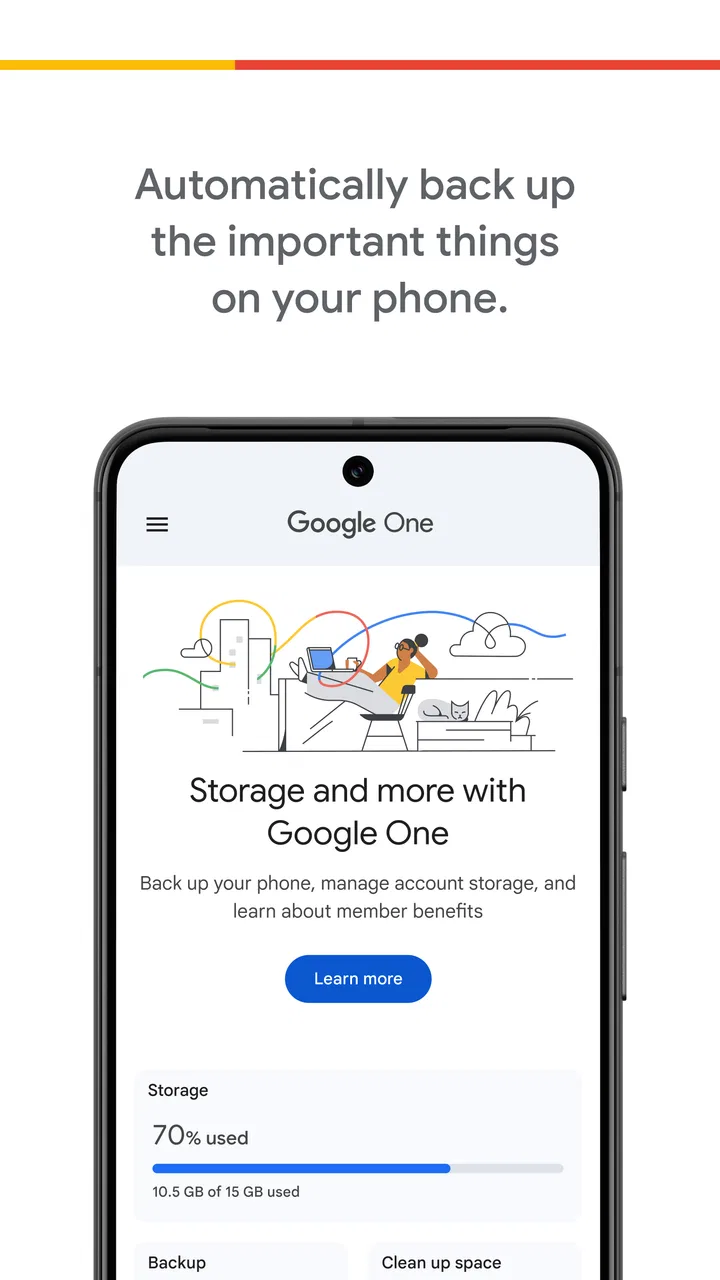
I use Google One as a practical storage and backup companion rather than as an app I open for entertainment. Its main job is easy to understand: it brings cloud storage management, phone backup tools, and account-related storage information into one place. That sounds simple, but it matters when photos, videos, device data, and files are spread across several Google services and you want one clear view of what is taking up room.
In my experience, the app is most useful when storage has become an everyday problem rather than an abstract concern. A full phone, a warning about account space, or the need to move to a new Android device can turn scattered settings into a frustrating search. Google One gives those tasks a more obvious home. I would recommend it to people already using Google Photos, Google Drive, or Gmail heavily, while I would be more cautious with anyone who wants a completely independent cloud-storage provider.
What Google One actually does in daily use
Google One is a productivity app from Google LLC, and its focus is organization rather than document editing or task management. The app connects the idea of storage across Google’s ecosystem, helping you understand how much space your account uses and where that space is going. That central view is more useful than checking each service separately, especially if you are not sure whether large files, media, or email attachments are responsible for the problem.
In-Depth Coverage of Google One
The phone-backup side is the feature I find most reassuring. A backup is easy to ignore when everything is working, but it becomes valuable when a phone is lost, damaged, replaced, or reset. Google One makes the backup concept more visible and gives you a place to think about whether your device information is being protected. The practical benefit is not excitement; it is reducing the chance that a routine phone change becomes a manual recovery project.
There is an important distinction here: cloud backup is not the same as a second copy that you have personally inspected and organized. I would not treat the app as permission to stop thinking about irreplaceable photos or important documents. For especially valuable material, I still prefer keeping an additional copy somewhere separate. Google One can simplify protection, but it should not encourage careless storage habits.
The app is free to download and use, which makes it easy to try without committing money first. At the same time, the listing includes in-app purchases ranging from under a dollar to several hundred dollars per item. That range tells me to separate the basic app experience from optional paid storage choices rather than assuming every user needs to pay. The sensible approach is to begin with the free access, inspect your actual usage, and only then decide whether additional capacity solves a real problem.
I also noticed how much the value depends on your existing habits. Someone who rarely uses Google services may see little reason to add another storage-management layer. Someone whose camera roll, email, and Drive files already live inside Google’s ecosystem may find the app much more coherent. The application is therefore less about creating a new digital workspace and more about making an existing Google account easier to maintain.
Storage decisions are clearer when you check the source
One of the more useful routines is to open the storage view before deleting anything. A warning about limited space can make people remove random files, but a category breakdown encourages a better question: what is actually consuming the account? I would start with the largest or least valuable items, then check whether a file is still needed elsewhere before removing it. This small pause can prevent the familiar mistake of deleting something merely because it is visible.
That workflow is especially helpful for people who use their phone as a camera. Videos can quietly become the main storage pressure, while screenshots, duplicate images, and old downloads remain mixed in with meaningful memories. Google One does not replace a thoughtful photo-organizing habit, but it gives you a useful starting point for deciding whether to clean, archive, or pay for more room.
Another non-obvious benefit is timing. I would rather review storage while the account is comfortable than wait until Gmail or file uploads become urgent. A calm review lets you remove abandoned material, export anything important, and decide whether a paid plan is worth it. Waiting until a service is blocked makes every choice feel more expensive because the decision is now being made under pressure.
Backup is most valuable before you need it
For a new phone, I would use Google One as part of a short preparation checklist: confirm that the old device has recently backed up, make sure the account is accessible, and check that the content I care about is present in the relevant Google services. I would not assume that seeing a backup screen automatically means every personal item is covered in exactly the way I expect. The safest approach is to verify important files and photos separately.
This is where the app can save time without being a complete migration solution. It can make the backup conversation more visible, but moving to a different platform or a different cloud provider may still require extra steps. If you switch between Android and iOS, or if your files live in several unrelated services, Google One is less likely to be the single answer. Its strongest experience comes from staying within Google’s account structure.
I also like the idea of using the app as a monthly maintenance check rather than a constant companion. A quick review can answer three practical questions: is my account approaching its limit, is my phone backup current, and are there large files I no longer need? That routine is more valuable than opening the app repeatedly without a clear purpose.
You May Also Like

 AccuWeather: Weather Radar
AccuWeather Review: A Quick, Clear Forecast for Everyday Decisions
For everyday plans, the best forecast is the one you can understand quickly. AccuWeather makes rain timing, radar, and local conditions easy to act on, with a few trade-offs.

 Hill Climb Racing
Why Hill Climb Racing Still Turns Crashes Into One More Run
A tiny car, a bumpy hill and one more upgrade: Hill Climb Racing keeps resurfacing because its simple chaos makes every near-miss feel personal.

 AliExpress - Shopping App
AliExpress Makes Global Shopping Feel Personal, but Shoppers Bear the Risk
AliExpress turns a global marketplace into a pocket-sized discovery engine. Its reach is useful, its shopping loop compelling, and its trade-offs easy to miss.

 Lords Mobile: Kingdom Wars
Lords Mobile Is a Kingdom-Building Routine, Not a Quick Match
A case-by-case verdict on the building, battles, device demands, and social commitments that make Lords Mobile rewarding for some players and exhausting for others.

 PDF Scanner app - TapScanner
TapScanner Makes Paperwork Easier to Capture, Check, and Share
TapScanner makes scanning with a phone feel less like a rescue operation and more like a dependable step in getting work done. Its capture tools are useful, though not flawless.

 Block Blast!
Block Blast! Shows How Much a Puzzle Game Can Leave Out
A quiet grid game shows why puzzle players increasingly value instant clarity, repeatable skill and low-pressure play—and where the genre still needs to catch up.
More From Our News Desk
View All News


Where the free and paid value separates
The free part of Google One has a clear advantage: you can explore its storage and backup tools before deciding whether an upgrade is justified. For a light user, that may be enough. If your account remains comfortably below its available capacity and your phone backup needs are modest, paying for more space would not create much practical value. In that situation, the app works well as a monitoring and maintenance tool.
Paid storage becomes easier to justify when the account is central to your life. A person who keeps years of photos, uses Gmail for work, and stores active documents in Drive may value continuity more than the lowest possible monthly cost. The purchase is not really about adding another app; it is about keeping a familiar set of Google services usable without repeatedly deleting material.
Because the available purchase range is broad, I would avoid choosing a plan based on fear or on the largest option shown. First estimate how your usage is changing, then choose the smallest paid capacity that gives you breathing room. A large plan can be wasteful if your storage habits are stable, while a barely sufficient plan can become annoying if your photo and video collection grows quickly.
The paid decision also depends on how much you value convenience. A cheaper alternative may offer storage at a lower cost, but moving files, changing backup habits, or managing separate services can take time. If Google One keeps your existing workflow simple, that convenience may be worth paying for. If you are comfortable organizing files manually and already use another provider, the upgrade may feel unnecessary.
I would not describe the paid tier as automatically good value for everyone. The value is strongest when additional space prevents a real disruption. It is weaker when you are buying capacity without a plan for using it. Before spending, I would delete obvious clutter, review large videos, and check whether old files can be archived elsewhere. That process often reveals whether you need more storage or simply better housekeeping.
The tradeoff of staying inside one ecosystem
Google One is convenient because it fits naturally with Google services, but that convenience is also its main tradeoff. The more of your digital life you place in one account, the more important that account becomes. I would use a strong password, keep recovery information current, and avoid treating one login as the only path to important memories or documents. The app can make storage simpler, but concentration creates responsibility.
Another limitation is that storage management can feel less personal than a carefully organized folder system. The app helps you see the account at a broad level, yet it does not replace the decisions involved in naming files, sorting projects, or maintaining a long-term archive. If you want detailed control over every folder and a provider-neutral setup, a dedicated file-management approach may suit you better.
There is also a difference between backup convenience and backup transparency. I appreciate not having to build everything manually, but I still want to know what is protected and when. For important work, I would open the original service, inspect a few files, and keep a separate copy of anything that cannot be recreated. That extra care is worthwhile because a backup you have never checked is only an assumption.
Compared with using Google Drive alone, Google One feels more focused on the health of the account and the phone rather than on individual documents. Compared with a general cloud-storage alternative, it is less appealing if your priority is mixing platforms or keeping your files independent from Google. Compared with doing nothing, however, it offers a much clearer reminder to review storage and backup before a problem arrives.
Who will get the most from it
I think Google One is a strong fit for Android users who take many photos, rely on Gmail, and keep documents in Google Drive. It is also useful for families or individuals who want a simple storage conversation instead of checking several unrelated settings. The app’s Everyone age rating makes it broadly approachable, although the real question is not age; it is whether the person’s digital life already revolves around Google.
It can be particularly helpful for someone who is not confident with technical maintenance. Rather than asking that person to design a backup system from scratch, I would show them how to check storage, confirm a recent phone backup, and review large content. Those three habits provide a practical safety net without requiring advanced knowledge.
I would be less enthusiastic for a user who already pays for another cloud service, keeps local backups, and rarely uses Google Photos, Drive, or Gmail. Adding Google One in that situation could create overlapping storage and another account to monitor. It is also not my first choice for a professional archive that needs strict provider independence, detailed version control, or a carefully documented recovery process.
For a realistic example, imagine someone whose phone is nearly full before a trip. They have years of photos, a collection of large videos, and an account warning that keeps appearing. I would have them review Google One before buying anything: identify which service is using the space, remove disposable screenshots and downloads, move essential files into a clearly labeled archive, and then consider a paid capacity increase only if the remaining collection is genuinely worth keeping online. That order prevents an unnecessary purchase and reduces panic.
Practical habits that make the app more useful
I would begin by setting a recurring reminder to inspect storage, but I would not make the reminder too frequent. Monthly or seasonal checks are enough for most people; heavy camera users may prefer checking after travel or major events. The goal is to catch growth early, not to turn storage management into a daily chore.
When cleaning, I would separate disposable material from sentimental material before looking at file size. Large does not mean unimportant, and small does not mean safe to delete. I would also avoid deleting from a service until I understand whether that action affects other places where the same content appears. A little caution is more efficient than trying to recover something later.
For a phone replacement, I would do the backup check while the old device still works. I would also keep the account sign-in details available and verify a few important photos or documents from another device if possible. This is a simple but valuable trade-off: a few minutes of checking now is far less stressful than discovering a gap after a reset.
Finally, I would treat the app’s purchase screen as a planning aid, not a prompt to spend immediately. Free access is enough to understand your situation. Paid storage makes sense when it removes a specific obstacle, such as recurring capacity pressure or the need to keep a growing personal archive available across devices. If you cannot name the obstacle, I would wait.
My verdict on value and whether to use it
Google One earns its place through convenience rather than novelty. It brings storage awareness and phone-backup planning closer to the surface, which is valuable for people already committed to Google’s services. I like that the free entry point lets you inspect your needs before paying, and I think the app is most convincing when it prevents a rushed cleanup or an unprepared phone replacement.
My reservations are equally practical. It does not remove the need for independent copies, careful file organization, or account security. Its paid value depends heavily on how much Google storage you already consume, and the ecosystem focus may be a drawback for people who want a provider-neutral setup. I would not buy extra capacity simply because the option is available.
With a 4.1 average from around 843 thousand ratings and more than a billion installs, it is clearly a widely used Android productivity tool, but popularity does not decide whether it fits your workflow. The current version is 1.296.864984949, and it requires Android 9 or later. Those details make it accessible to many Android users, while the free price makes testing straightforward.
My recommendation is to install Google One if your photos, Gmail, Drive files, and phone backup already depend on Google. Use the free tools first, inspect what is consuming space, and pay only when additional capacity solves a real recurring problem. If you want a fully independent cloud strategy or already have a reliable alternative, skip the upgrade and keep your existing system. For the right user, this app is a quiet but useful safety net; for everyone else, it may simply be another storage dashboard.
FAQs for Google One
01What is Google One and how does it differ from Google Drive?
Google One is a subscription service that offers expanded cloud storage across Google Drive, Gmail, and Google Photos. While Google Drive provides basic storage for free, Google One offers additional benefits like more storage options, family sharing, and access to Google experts for support.
02How much does a Google One subscription cost?
Google One offers several pricing tiers starting at $1.99 per month for 100 GB of storage. Higher plans include more storage and additional benefits such as the ability to share with family members. Prices can vary based on region and storage needs, so it's best to check current rates on the official website.
03Can I share my Google One plan with family members?
Yes, Google One allows you to share your subscription with up to five family members. Each member gets their own private storage space while benefiting from the shared storage plan. This makes it a cost-effective option for families looking to manage their storage needs collectively.
04What additional benefits does Google One provide?
Beyond expanded storage, Google One offers benefits like access to Google experts for support, special discounts on Google products and services, and the ability to back up your Android phone. Some plans also offer Google Play credits and hotel deals, enhancing the overall value of the subscription.
05Is my data secure with Google One?
Google One uses advanced security measures to protect your data. It includes encryption for files in transit and at rest, along with robust protection against unauthorized access. Google’s security infrastructure ensures that your information is safeguarded and accessible only to you and those you choose to share it with.
Pros
- Generous free storage tier available.
- Seamless integration with Google services.
- Easy file sharing and collaboration.
- Automatic photo backup feature.
- Includes access to Google experts.
Cons
- Limited offline access options.
- Family sharing is not available on all plans.
- Some features depend on device compatibility.
- Can be pricey for larger storage plans.
- Basic features require a Google account.

Google One
Gallery